
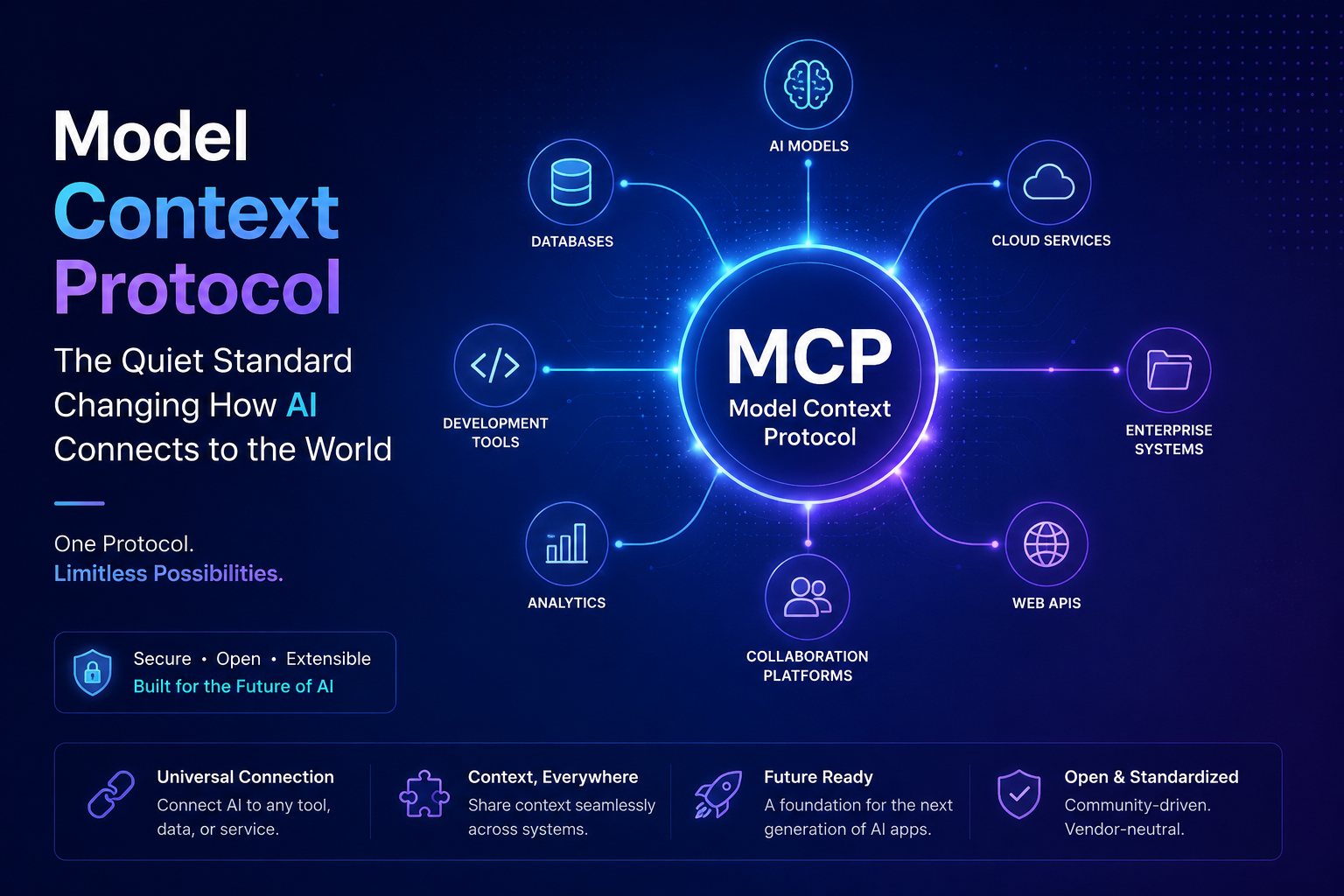
Artificial intelligence is evolving fast, but one challenge keeps showing up again and again: connection.
AI models are getting smarter, yet they still depend on fragmented, custom-built integrations to access tools, systems, and data. That means every new workflow often requires another layer of glue code, another adapter, or another brittle workaround.
This is where Model Context Protocol (MCP) enters the picture.
MCP is emerging as a shared standard for connecting AI applications to external tools and data sources. In simple terms, it gives AI systems a common language for interaction, much like USB-C simplified physical connections across devices. Instead of building one-off integrations for every app and every tool, developers can rely on a consistent protocol that makes AI systems easier to extend, reuse, and scale.
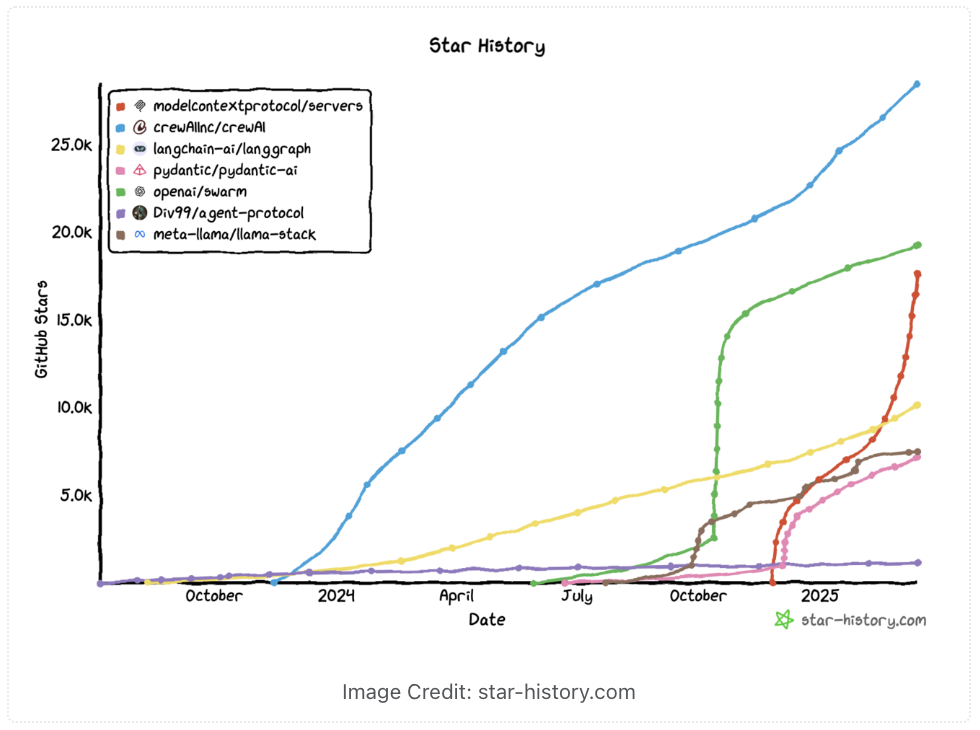
Why MCP matters
The real value of MCP is not just technical elegance. It solves a very practical problem.
Modern AI systems are no longer isolated chat interfaces. They are becoming assistants, copilots, and agents that need to search, retrieve, execute, and coordinate across multiple environments. Without a standard like MCP, each integration becomes a separate engineering effort. With MCP, the same connection pattern can work across compatible clients and servers, which makes the ecosystem far more sustainable.
That shift matters for developers, platform teams, and organizations building AI-driven products. It reduces integration complexity, improves portability, and opens the door to more reusable AI infrastructure.
So, What Is MCP and How Does It Work?
MCP lays out clear rules for how AI can find, connect to, and use external tools – whether it’s querying a database or running a command. This lets models go beyond their training data, making them more flexible and aware of the world around them.
Technical Overview of MCP:
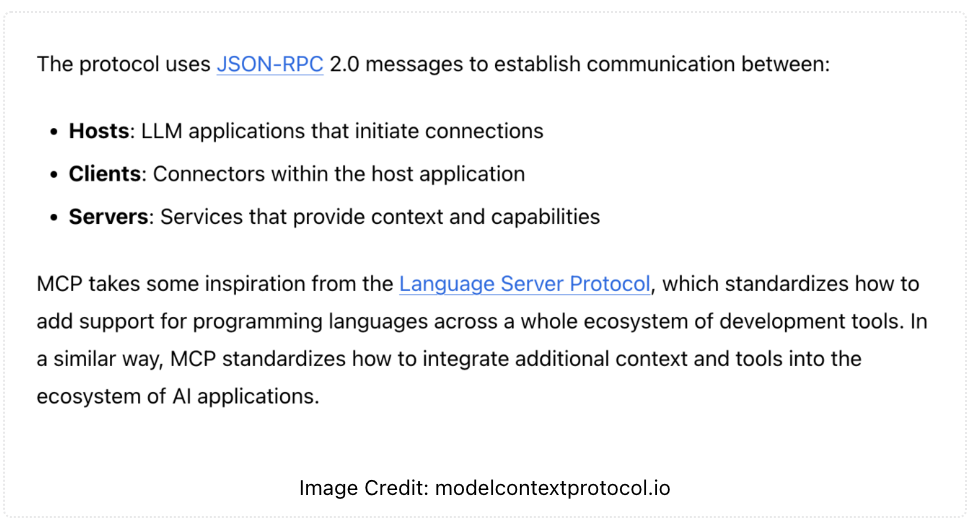
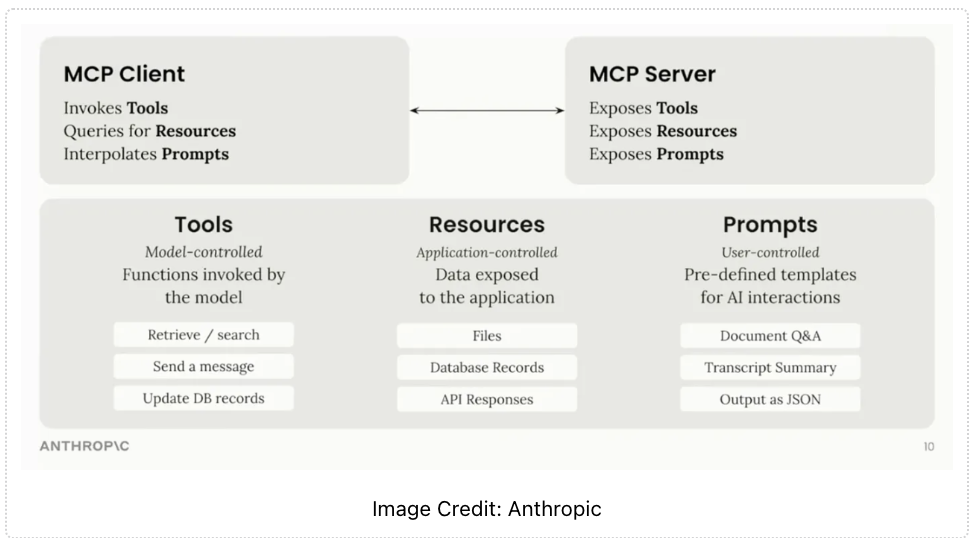
One striking feature is MCP’s dynamic discovery – AI agents automatically detect available MCP servers and their capabilities, without hard-coded integrations. For example, if you spin up a new MCP server (like a CRM), agents can immediately recognize and use it via a standardized API, offering flexibility traditional approaches can’t match.
How do I actually get started with MCP?
The best place to start is the official MCP documentation and repository. Anthropic open-sourced the spec and provided SDKs (in languages like Python and now even Java). The steps typically are:
- Run or install an MCP server for the tool or data source you care about. Anthropic has an open-source repo of pre-built servers for popular systems (Google Drive, Slack, Git, databases, etc.). You can install these and configure them (often just running a command with your credentials or keys).
- Set up the MCP client in your AI app. If you’re using Claude’s app, you can add the server in the UI. If you’re coding your own agent, use the MCP SDK to connect to the server (providing the address/port).
- Once you’ve enabled the MCP services in your client, the client will pick on the additional functionality provided: additional tools, resources and prompt templates.
- Invoke and iterate. The model/agent can now call the MCP tool actions as needed. Make sure to monitor logs to see that it’s calling the servers correctly. You’ll see requests hitting the MCP server and responses coming back.
For a quick start, Anthropic recommends trying the Claude Desktop integration (if you have access) or running the example servers and using their provided quickstart guide. The community is also very active – there is a rapidly expanding catalog of MCP servers. Some of the popular ones include connectors for Google services (Drive, Gmail, Calendar), Slack (chat and file access), GitHub/Git (for code repositories), databases like Postgres, web browsers or Puppeteer (to browse web pages), and many more. Many servers are listed in community directories (some developers have created sites to index them). The official MCP GitHub also hosts a bunch of connector implementations to get you started. And if you have a niche tool that isn’t covered, you can build your own MCP server using the SDK – often it’s just a thin wrapper around that tool’s API, exposing a function in the MCP format.
We thank Will Schenk for clarifying a few things about MCP and how to start with it. He shared this quick hands-on walkthrough with Tezlab’s Tesla monitoring service to demonstrate MCP at work.
A better way to connect AI tools
What makes MCP especially compelling is its simplicity in design and broadness in impact. It creates a structured way for AI clients to communicate with servers that expose capabilities such as search, retrieval, and action execution. This allows assistants to move beyond static responses and become truly context-aware.
For example, a developer working inside an editor could ask an MCP-enabled assistant to search documentation, query a model hub, or pull relevant resources without leaving the environment. The experience feels seamless because the protocol handles the connection layer in a standardized way.
Hugging Face and the MCP ecosystem
Hugging Face has been one of the clear examples of how MCP can work in practice. Their MCP server connects compatible AI assistants to the Hugging Face Hub, making it easier to interact with models, datasets, and related resources from supported clients. That kind of integration shows how MCP is moving from theory into practical developer workflows.
It also signals something larger: the rise of interoperable AI infrastructure. Instead of every platform inventing its own isolated approach, MCP encourages a shared ecosystem where tools can speak the same language.
The bigger picture
MCP is not just another protocol trend. It represents a deeper shift in how AI systems are built.
We are moving from:
- isolated models to connected agents,
- custom integrations to shared standards,
- single-purpose assistants to tool-aware systems.
That transition is important because the future of AI will depend less on raw model capability alone and more on how well models connect to the real world.
Final thoughts
If AI is going to become truly useful in everyday work, it needs more than intelligence. It needs context, access, and interoperability. MCP is helping make that possible by creating a cleaner, more scalable way for AI systems to connect with tools and data.
For developers, architects, and AI builders, this is not just an interesting protocol. It is a foundation worth paying attention to.