
I’ve been running Kubernetes clusters for years now, and I still get that sinking feeling every time I delete a deployment or uninstall a Helm chart and just… assume it’s really gone.
It never is.
There’s always something left behind. Quietly rotting in etcd, taking up space, slowing things down, and occasionally breaking stuff in the most mysterious ways.
I started calling them “ghost resources” because that’s exactly what they feel like — objects that should be dead but refuse to leave the house.
If you’ve never gone hunting for them, trust me: they’re in your cluster right now.

So what the hell are these ghosts?
They’re Kubernetes objects that outlived whatever created them:
- ReplicaSets with 0 replicas from old deployments
- ConfigMaps and Secrets nobody has touched in 18 months
- CRDs from that operator you tried once and immediately regretted
- PVCs that cost you $80/month and aren’t attached to anything
- Namespaces stuck in “Terminating” since the Obama administration
They don’t throw errors. They don’t light up your monitoring. They just… sit there. Eating etcd disk, making the API server sluggish, and silently padding your cloud bill.
Why this actually matters (more than you think)
I’ve watched perfectly healthy clusters turn into absolute dogs because of this crap.
- etcd gets huge → every kubectl command takes 3–forever–
- You try to upgrade an operator and it explodes because the old CRD version is still there
- Finance sends you a Slack message: “Hey, why are we paying for 15 TB of EBS with zero pods using it?”
- That one namespace has been Terminating for 47 days and nobody knows why
It’s death by a thousand paper cuts.
How do these things even happen?
99% of the time it’s totally normal stuff:
- Helm uninstall –keep-history or just forgetting the CRDs
- Deleting a StatefulSet but not the PVCs (looking at you, Longhorn/Jenkins/Postgres charts)
- Finalizers that never finish because the controller is dead or misconfigured
- Someone ran kubectl delete deployment X and called it a day
We’ve all done it.
Finding the ghosts (commands I actually use)
Here’s my “oh shit” checklist I run every couple times a month.
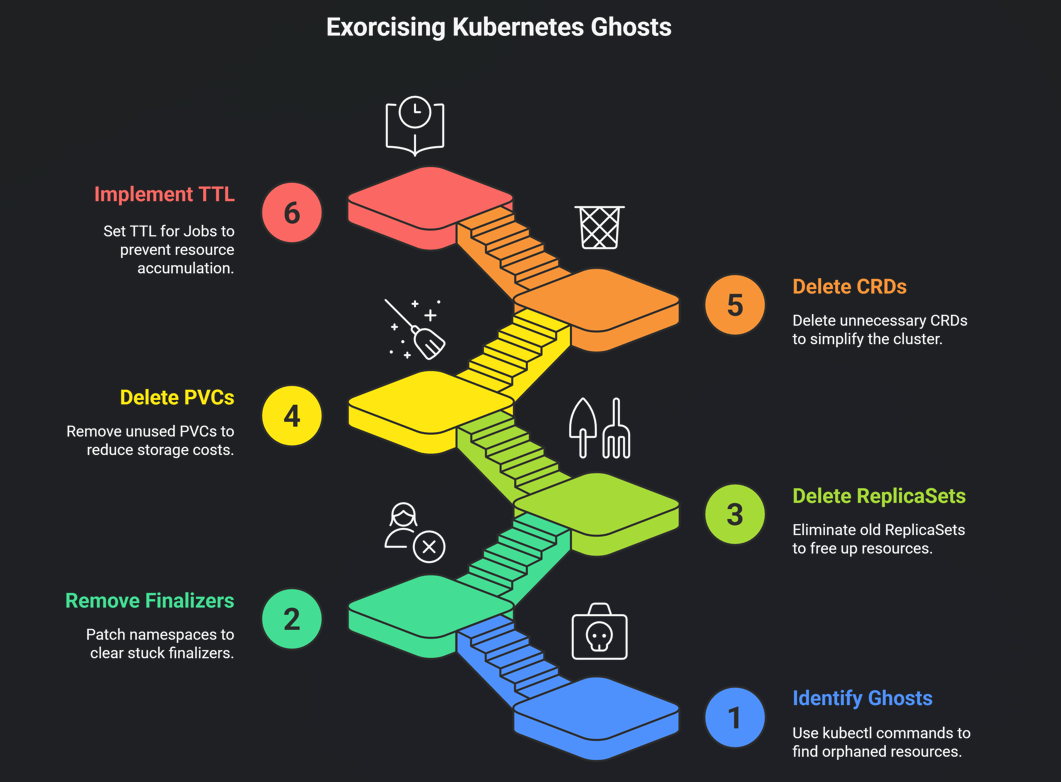
Stuck in Terminating (the classics):
kubectl get ns | grep Terminatingkubectl get all --all-namespaces | grep TerminatingOrphaned PVCs (my personal nemesis):
kubectl get pvc --all-namespaces -o json | jq -r '.items[] | select(.status.phase!="Bound") | "\(.metadata.namespace) \(.metadata.name)"'Old ReplicaSets nobody loves:
kubectl get rs --all-namespaces -o wide | awk '$4==0 {print $1" "$2" "$7}'CRDs from experiments past:
kubectl get crds | grep -v "cert-manager\|ingress\|monitoring"Cleaning them up (carefully)
Most of the time it’s just:
Remove a stuck finalizer:
kubectl patch namespace dying-ns -p '{"metadata":{"finalizers":[]}}' --type=mergeNuke old ReplicaSets:
kubectl delete rs --field-selector metadata.namespace!=kube-system -l app.kubernetes.io/managed-by!=HelmDelete PVCs that aren’t doing anything:
kubectl delete pvc --all-namespaces --field-selector status.phase=LostCRDs you definitely don’t need anymore:
kubectl delete crd prometheusrules.monitoring.coreos.com # goodbye old operatorPro tip: enable TTL on Jobs so finished ones don’t hang around forever:
YAML
ttlSecondsAfterFinished: 86400 # 24 hoursBonus: the script I actually run
#!/bin/bashecho "=== Oldest ConfigMaps & Secrets per namespace ==="for ns in $(kubectl get ns -o jsonpath='{.items[*].metadata.name}'); do echo -e "\n--- $ns ---" echo "ConfigMaps:" kubectl -n $ns get cm --sort-by=metadata.creationTimestamp | head -5 echo "Secrets:" kubectl -n $ns get secret --sort-by=metadata.creationTimestamp | head -5 | grep -v "token\|cert" echodoneRun that once and tell me you didn’t find something from 2022.
Final reality check
Every single cluster I’ve ever looked at has this problem. Production, staging, dev — doesn’t matter.
It’s not a bug. It’s not even bad practice most of the time. It’s just… Kubernetes.
But ignoring it is how you end up with a 40 GB etcd, 8-second kubectl latency, and a surprise $2k storage bill.
Do yourself a favor: spend 15 minutes running those commands this week.
You’ll probably delete a few hundred objects and wonder why your cluster suddenly feels snappier.
And if you find a namespace that’s been Terminating since 2023… you’re not alone. We’ve all been there.
Now go exorcise some ghosts. 👻