
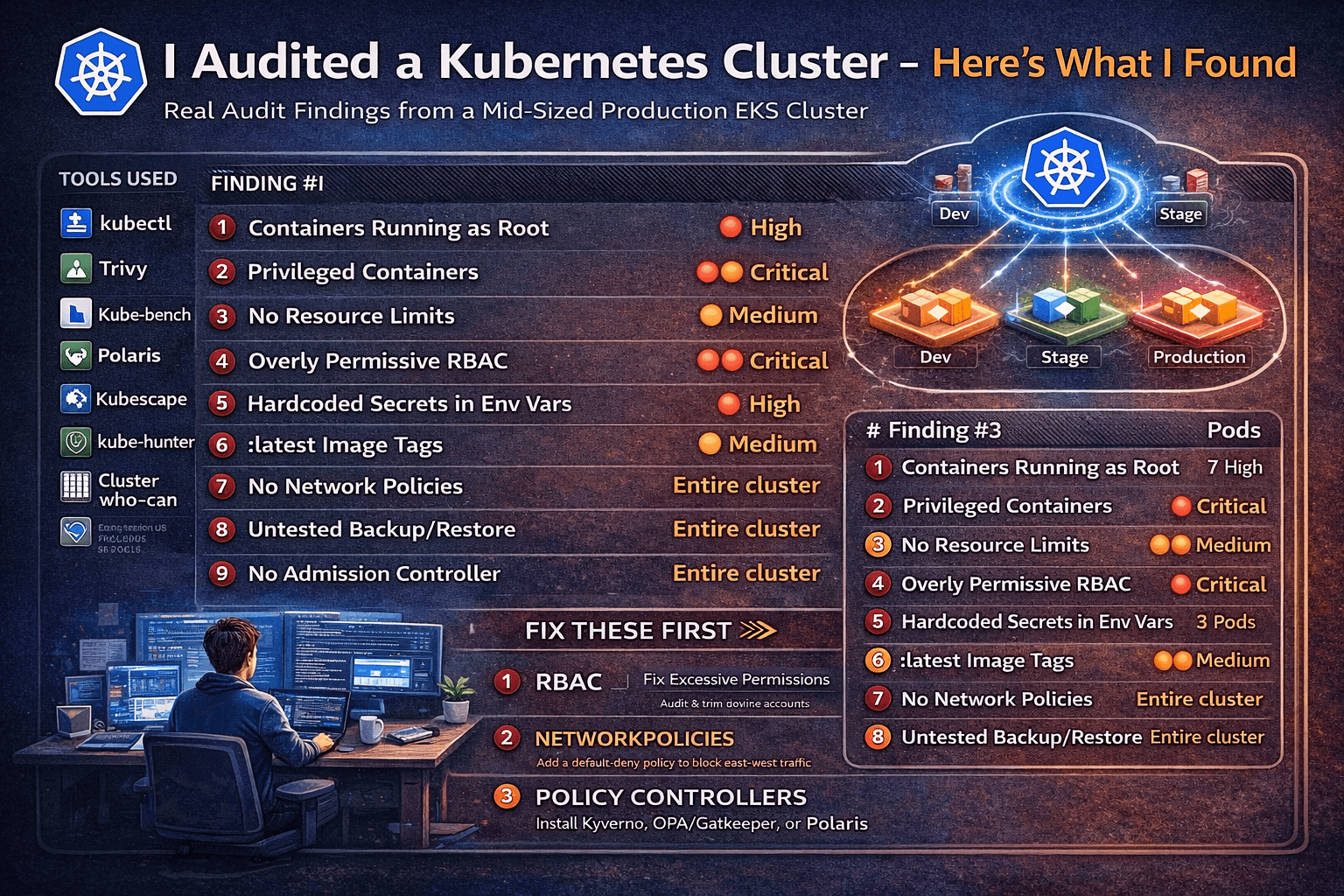
I was given read access to a mid-sized production Kubernetes cluster — 3 namespaces, ~40 workloads, running on EKS. No insider knowledge. Just tools, curiosity, and 60 minutes. Here’s everything I found.
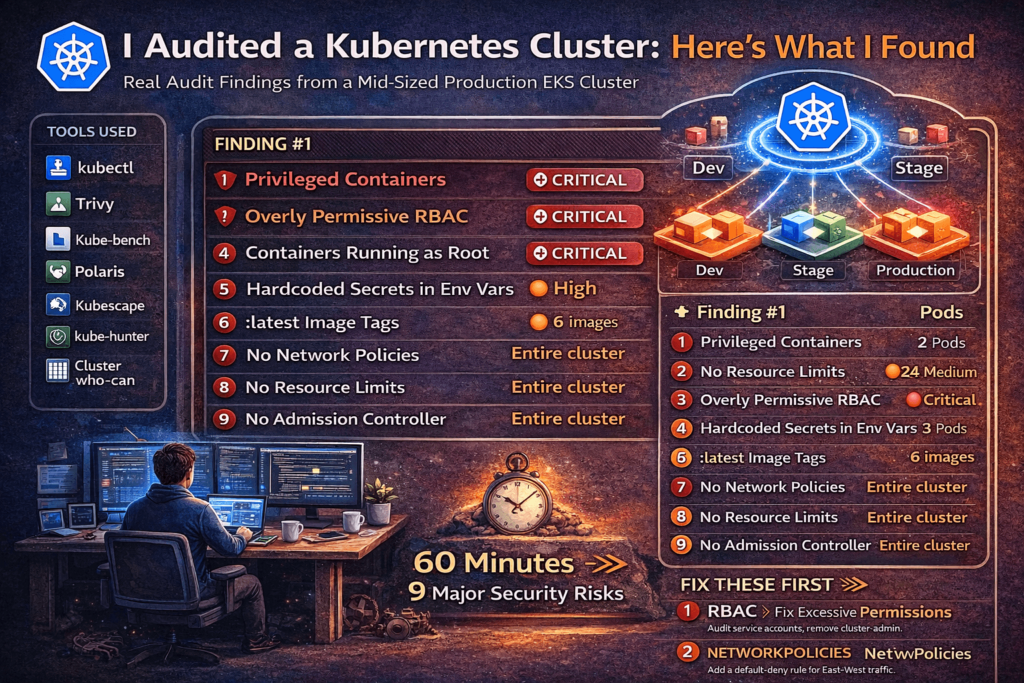
The Setup
The cluster belonged to a startup that had been running Kubernetes in production for about 18 months. They had a dedicated DevOps engineer, used Helm for deployments, and considered themselves “reasonably secure.” No recent incidents. No red flags.
I was given kubectl access with cluster-wide read permissions (no write). That’s it.
Tools I used — all open source, all free:
| Tool | What it does |
|---|---|
kubectl | Native CLI — more powerful than most people realize |
| Trivy | Vulnerability + misconfiguration scanner |
| Kube-bench | CIS Kubernetes Benchmark checks |
| Polaris | Best-practice policy enforcement |
| Kubescape | NSA/CISA Kubernetes hardening checks |
| kubectl-who-can | RBAC auditing |
Let’s go.
Finding #1 — Containers Running as Root (7 out of 40 Workloads)
Time: 0:00 – 0:08
The first thing I always check. It costs nothing and catches a lot.
kubectl get pods -A -o json | jq '
  .items[] |
  select(
    .spec.containers[].securityContext.runAsNonRoot != true
    and
    .spec.securityContext.runAsNonRoot != true
  ) |
  "\(.metadata.namespace)/\(.metadata.name)"
'
Result: 7 pods across 3 namespaces had no runAsNonRoot: true constraint — meaning they were almost certainly running as root inside the container.
Why does this matter? If an attacker escapes the container (via a CVE in your app or runtime), they land as root on the host. In 2024 alone, there were multiple container breakout CVEs where host impact was significantly worse because the container was root.
The fix:
securityContext:
  runAsNonRoot: true
  runAsUser: 1000
Finding #2 — Privileged Containers in Production
Time: 0:08 – 0:14
kubectl get pods -A -o json | jq '
  .items[] |
  select(.spec.containers[].securityContext.privileged == true) |
  "\(.metadata.namespace)/\(.metadata.name)"
'
Two pods came back: one was a monitoring agent (somewhat expected), and one was a backend API service.
A privileged container has nearly unrestricted access to the host. It can mount host filesystems, manipulate network interfaces, load kernel modules, and in most configurations, fully escape to the host node. There is almost never a reason for a business-logic workload to be privileged.
When I asked the team, they didn’t know why it was privileged. It had been that way since the initial Helm chart was copied from an internal example. Nobody had questioned it.
The fix: Remove privileged: true. If the container needs specific capabilities (e.g., NET_BIND_SERVICE), grant only those:
securityContext:
  privileged: false
  capabilities:
    add: ["NET_BIND_SERVICE"]
    drop: ["ALL"]
Finding #3 — No Resource Limits on 60% of Pods
Time: 0:14 – 0:19
kubectl get pods -A -o json | jq '
  .items[] |
  select(
    .spec.containers[].resources.limits == null
  ) |
  "\(.metadata.namespace)/\(.metadata.name)"
' | wc -l
24 pods had no CPU or memory limits set.
This is both a reliability and a security issue. Without limits:
- A single misbehaving pod can starve the entire node (noisy neighbor)
- A compromised pod can consume unbounded resources as a denial-of-service vector
- The Kubernetes scheduler makes poor placement decisions
Running Polaris caught this too, along with missing requests:
polaris audit --audit-path . --format=prettyPolaris gave this cluster a score of 52/100 — not great.
The fix:
resources:
  requests:
    cpu: "100m"
    memory: "128Mi"
  limits:
    cpu: "500m"
    memory: "512Mi"
Finding #4 — Overly Permissive RBAC (The Big One)
Time: 0:19 – 0:31
This is where it got interesting. I used kubectl-who-can to enumerate what various service accounts could do:
# Who can create pods?
kubectl-who-can create pods

# Who can get secrets?
kubectl-who-can get secrets -n production

# Who can do everything?
kubectl-who-can '*' '*'
What I found:
- A CI/CD service account had
cluster-admin— the most powerful role in Kubernetes. It was created “temporarily” during a migration 8 months ago and never revoked. - Three application service accounts could
get secretscluster-wide — meaning a compromised app pod could read every secret in every namespace, including database credentials for unrelated services. - One service account had
create podsin thekube-systemnamespace — which is essentially a path to full cluster compromise. Create a privileged pod inkube-system, mount the host filesystem, game over.
kubectl get clusterrolebindings -o json | jq '
  .items[] |
  select(.roleRef.name == "cluster-admin") |
  {name: .metadata.name, subjects: .subjects}
'
This returned 4 bindings. One was the expected system:masters group. The other three were application-level service accounts that had no business with that level of access.
The fix: Apply the principle of least privilege. Define narrow roles:
apiVersion: rbac.authorization.k8s.io/v1
kind: Role
metadata:
  name: app-reader
  namespace: production
rules:
- apiGroups: [""]
  resources: ["configmaps"]
  verbs: ["get", "list"]
Audit and rotate regularly. RBAC debt accumulates fast in fast-moving teams.
Finding #5 — Secrets Stored as Plain Environment Variables
Time: 0:31 – 0:37
kubectl get pods -A -o json | jq '
  .items[].spec.containers[].env[]? |
  select(.name | test("PASSWORD|SECRET|KEY|TOKEN|API"; "i")) |
  .name
'
Fourteen environment variable names matching sensitive patterns. Most were injected directly from Kubernetes Secrets (fine), but three were hardcoded string values in the pod spec — meaning they were sitting in plaintext in Helm values files and likely committed to a Git repository.
One was a third-party API key. One was a database password. One was labeled INTERNAL_ADMIN_TOKEN.
# What I found (bad):
env:
  - name: DATABASE_PASSWORD
    value: "hunter2"

# What it should look like:
env:
  - name: DATABASE_PASSWORD
    valueFrom:
      secretKeyRef:
        name: db-credentials
        key: password
Trivy’s config scanning also flagged this with a quick pass over the namespace:
trivy k8s --report summary clusterFinding #6 — Images Using :latest Tag
Time: 0:37 – 0:41
kubectl get pods -A -o jsonpath='{range .items[*]}{.spec.containers[*].image}{"\n"}{end}' \
  | grep ":latest" | sort | uniq
Six unique images using :latest. This is a supply chain risk — :latest means “whatever was most recently pushed,” which:
- Makes rollbacks unreliable (you don’t know what you’re rolling back to)
- Makes security scanning unreliable (the image you scanned yesterday may not be the one running today)
- Disables Kubernetes’ image caching logic in some configurations
One of these was a popular open-source tool that had a known critical CVE in a recent release. Because they were pulling :latest, they had no idea which version they were actually running.
The fix: Always pin to a specific digest or semantic version:
image: nginx:1.27.0
# Or even better, by digest:
image: nginx@sha256:a5e3c0a9c4...
Finding #7 — No Network Policies (Flat Network)
Time: 0:41 – 0:48
kubectl get networkpolicies -AOutput: No resources found.
By default, Kubernetes uses a flat network model — every pod can talk to every other pod in the cluster, across all namespaces, on any port. Without NetworkPolicies, a single compromised workload can freely connect to:
- Your database pods
- Your internal admin services
- The Kubernetes API server
- Every other microservice
I ran a quick validation with a test pod to confirm east-west traffic was truly unrestricted — it was.
The fix: Start with a default-deny policy per namespace, then explicitly allow needed traffic:
apiVersion: networking.k8s.io/v1
kind: NetworkPolicy
metadata:
  name: default-deny-all
  namespace: production
spec:
  podSelector: {}
  policyTypes:
  - Ingress
  - Egress
Then layer in explicit allow rules for each service’s actual traffic requirements.
Finding #8 — etcd Backup Is… Missing
Time: 0:48 – 0:54
This one isn’t a misconfiguration you scan for — I asked.
When I queried the team: “When was the last time you tested restoring from an etcd backup?”
Silence.
They had backups configured on their managed EKS cluster through AWS, but had never actually tested a restore. They also had no documented runbook for cluster recovery. For a production cluster running business-critical workloads, this is a quiet catastrophe waiting to happen.
Kube-bench also surfaced a related finding:
kube-bench run --targets nodeSeveral control plane configuration checks flagged weak audit logging — events like Secret access were not being logged with sufficient verbosity to support incident response.
Finding #9 — Admission Controllers Not Enforcing Policy
Time: 0:54 – 1:00
kubectl get validatingwebhookconfigurations
kubectl get mutatingwebhookconfigurations
No policy admission controllers were configured. This meant all the security issues above could be re-introduced on the next deployment — nothing would stop a developer from pushing a privileged: true container or a :latest image tag to production.
Kubescape gave a final comprehensive summary:
kubescape scan --enable-host-scan --verboseFinal Kubescape score: 47% compliance with NSA/CISA hardening guidelines.
The cluster was missing:
- OPA/Gatekeeper or Kyverno for policy enforcement
- Pod Security Admission (PSA) labels on namespaces
- Audit logging at the API server level
- Image signature verification (Sigstore/Cosign)
Summary: Everything Found in 60 Minutes
| # | Finding | Severity | Pods Affected |
|---|---|---|---|
| 1 | Containers running as root | 🔴 High | 7 |
| 2 | Privileged containers | 🔴 Critical | 2 |
| 3 | No resource limits | 🟡 Medium | 24 |
| 4 | Overly permissive RBAC | 🔴 Critical | 3 service accounts |
| 5 | Hardcoded secrets in env vars | 🔴 High | 3 |
| 6 | :latest image tags | 🟡 Medium | 6 images |
| 7 | No NetworkPolicies | 🔴 High | Entire cluster |
| 8 | Untested backup/restore | 🔴 High | Entire cluster |
| 9 | No admission controller | 🟡 Medium | Entire cluster |
Total time: 58 minutes.
What This Cluster Got Right
To be fair — this wasn’t a disaster. They had:
- Secrets stored in Kubernetes Secrets (not ConfigMaps)
- TLS on all ingress routes
- Regular node OS patching via managed node groups
- Separate namespaces for staging and production
- Basic Pod Disruption Budgets on critical services
Most teams are somewhere on this spectrum. The goal isn’t perfection out of the gate — it’s knowing where you stand.
The 3 Things to Fix First
If you audit your own cluster and feel overwhelmed, prioritize in this order:
1. Fix RBAC immediately. Excessive permissions are your highest blast radius. A compromised workload with cluster-admin means full cluster takeover. Audit and trim service account permissions this week.
2. Add NetworkPolicies. Lateral movement is how small compromises become large incidents. A default-deny posture costs almost nothing to implement and eliminates a whole class of attack paths.
3. Install a policy admission controller. Polaris, Kyverno, or OPA/Gatekeeper — pick one. Without enforcement, every fix you make today can be silently undone on the next helm upgrade.
Run This Yourself
Here’s a one-liner audit starter pack for your own cluster:
# Privileged pods
kubectl get pods -A -o json | jq '.items[] | select(.spec.containers[].securityContext.privileged == true) | .metadata.name'

# No resource limits
kubectl get pods -A -o json | jq '.items[] | select(.spec.containers[].resources.limits == null) | .metadata.name'

# Latest image tags
kubectl get pods -A -o jsonpath='{range .items[*]}{.spec.containers[*].image}{"\n"}{end}' | grep ":latest"

# cluster-admin bindings
kubectl get clusterrolebindings -o json | jq '.items[] | select(.roleRef.name == "cluster-admin") | {name: .metadata.name, subjects: .subjects}'

# Network policies (should not be empty)
kubectl get networkpolicies -A

# Full scan with Trivy
trivy k8s --report summary cluster
You might not like what you find. That’s exactly the point.
All findings were shared with the team and have since been remediated. No production systems were harmed in the writing of this post.