
Let’s be honest — Kubernetes security isn’t just about turning on RBAC or running an image scan once in your CI pipeline.
If that’s all you’re doing, you’re only covering the surface — not the real risks.
In my experience, most Kubernetes breaches don’t happen because someone found an exotic zero‑day. They happen because of the simple stuff — the kind of mistakes engineers make under pressure late on a Friday night.
I’ve come across production clusters where:
- Pods were running as root.
- Secrets lived right inside YAML files.
- Network policies were missing entirely.
- Temporary admin access quietly became permanent.
And no, these weren’t test environments. These clusters were serving real customers.
That’s why Kubernetes security became non‑negotiable in 2025. Between leaked credentials, public S3 buckets, and chain‑reaction supply‑chain attacks, security is no longer “someone else’s problem.” It’s part of DevOps now — baked into every stage, not bolted on at the end.
This article isn’t theory. It’s a practical, from‑the‑trenches playbook for keeping real Kubernetes workloads safe.
Why Everyone Talks About Kubernetes Security (and Why They’re Right)
Kubernetes adoption exploded, but its security maturity didn’t.
Almost every major study says the same thing: over 70% of cluster incidents come down to misconfigurations, not sophisticated exploits.
Attackers don’t “hack” Kubernetes — they find that open door you forgot to lock.
Why does it keep happening?
- YAML files are powerful but easy to misuse.
- Defaults aren’t designed for production‑grade security.
- Delivery speed often wins over safety.
- Shared clusters multiply every small mistake.
This is why teams are embracing DevSecOps — blending development, operations, and security into one continuous mindset.
What Real Production Security Looks Like
Running Kubernetes in production isn’t neat. It’s messy — and that’s okay.
You’ve got:
- Multiple teams deploying daily.
- CI/CD pipelines pushing nonstop.
- Images pulled from dozens of registries.
- Cloud IAM tangled with Kubernetes RBAC.
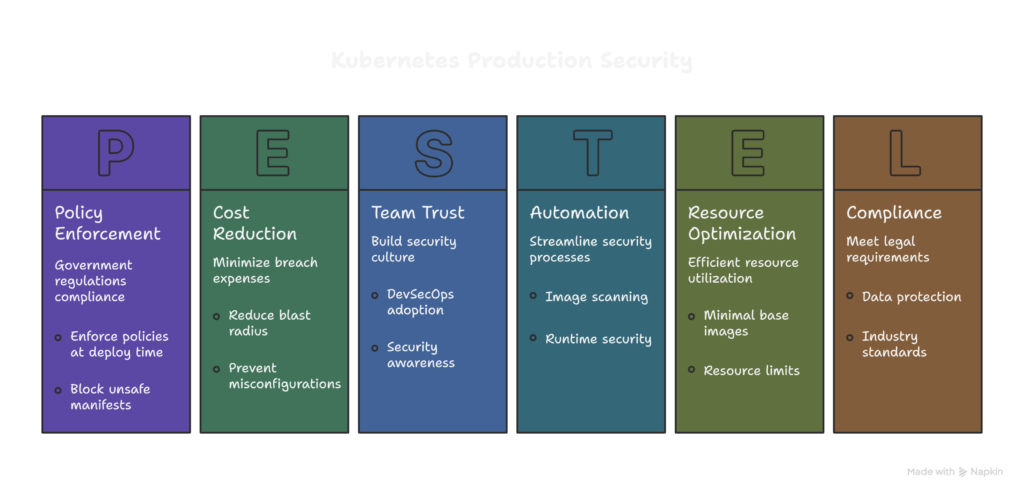
Perfection doesn’t exist here. The real goal is reducing blast radius — minimizing damage when something eventually goes wrong.
Let’s walk through what actually makes a difference.
1. RBAC: The First Door Everyone Leaves Open
RBAC (Role‑Based Access Control) is supposed to be your first line of defense, yet it’s often the weakest.
I’ve lost count of how many times I’ve seen someone grant cluster-admin access “just for a quick fix.” That quick fix can turn into a full‑scale breach.
Common mistakes:
- Wildcards (
*) used in roles. - Shared service accounts between multiple apps.
- No namespace isolation.
What works in real clusters:
- Use namespace‑scoped roles for developers.
- Issue one service account per app.
- Give observability tools read‑only access.
- Review ClusterRoleBindings with care.
If someone doesn’t need to manage nodes, they shouldn’t even see them. Period.
2. Pod Security Standards: Kubernetes’ Built‑In Seatbelt
Pod Security Policies are gone, and honestly, it’s for the best. The new Pod Security Standards (PSS) are simpler, cleaner, and effective — if you enable them properly.
Why they matter:
Even if an engineer accidentally deploys a risky YAML, PSS can block it before it runs.
It prevents:
- Containers running as root.
- Privileged access.
- Dangerous mounts like
HostPath. - Unsafe Linux capabilities.
In production, I recommend:
- Use
restrictedpolicy for most workloads. - Allow
baselineonly where the app truly needs it.
One well‑configured PSS setup can shut down entire categories of attacks before they even start.
3. Network Policies: Don’t Let Attackers Roam Free
By default, every pod in Kubernetes can talk to every other pod. That’s as risky as leaving every door open in an office building.
Network policies bring back control by:
- Restricting pod‑to‑pod communication.
- Isolating sensitive namespaces.
- Protecting internal databases and APIs.
Start small:
- Allow only what’s necessary.
- Deny everything else.
Then build outward when you feel confident.
Tools like Calico and Cilium are popular for a reason — they make network segmentation manageable at scale.
A simple rule of thumb: if two services don’t need to talk, block the connection.
4. Image Scanning: Don’t Let Vulnerabilities Sneak In
Most cluster risks walk straight in through container images.
I see the same pattern over and over:
- Teams pulling the
latesttag “to stay up to date.” - Outdated base images left unpatched for months.
- Security scans run once and never revisited.
What actually works:
- Scan every image in CI/CD before deploys.
- Fail builds for critical vulnerabilities.
- Stick with minimal base images.
- Rescan live images regularly.
Reliable tools like Trivy, Snyk, and Wiz can handle this automatically, but remember: scanning isn’t about showing zero vulnerabilities.
It’s about knowing exactly what’s inside your containers — and making informed choices.
5. Runtime Security: Because Prevention Isn’t Enough
Even with all of this in place, not everything can be prevented.
That’s where runtime security becomes your safety net.
It helps catch issues as they happen, like:
- Shells unexpectedly opening inside pods.
- Suspicious file writes or privilege escalations.
- Weird outbound network spikes.
Production‑proven tools include:
- Falco for kernel‑level monitoring.
- eBPF‑based agents for low‑latency visibility.
Runtime alerts have stopped real‑world breaches, sometimes before anyone even noticed something was wrong.
6. Prevent Misconfigurations Automatically with Kyverno
Humans make mistakes — configuration policies don’t.
That’s why tools like Kyverno exist.
Kyverno lets you:
- Enforce policies at deploy time.
- Block unsafe manifests before they reach production.
- Automatically patch missing labels or limits.
You can use it to:
- Prevent privileged pods.
- Require resource limits.
- Mandate metadata like labels and namespaces.
Think of it as a tireless gatekeeper that checks every YAML file before it can do harm.
Kubernetes Production Security Checklist
Here’s a quick checklist you can actually follow:
✅ RBAC with least privilege
✅ Pod Security Standards enforced
✅ Network Policies in place
✅ Images scanned in CI/CD
✅ Runtime threat detection enabled
✅ Kyverno enforcing key policies
✅ Secrets stored safely (never in YAML)
You don’t need to do everything on day one.
Start where the biggest gaps are. Improve continuously.
Security Isn’t a Tool — It’s a Habit
If there’s one thing production Kubernetes has taught me, it’s this: security isn’t about the latest gadget or plugin.
It’s about thinking ahead — preventing, watching, and reacting fast.
Mistakes will happen. Systems will evolve. People will forget things.
What matters is how quickly you can detect and contain them.
That’s the essence of DevSecOps — security woven into daily practice.
If you get this right, you don’t just protect your cluster. You build trust — in your team, in your company, and in yourself.