

🔥 Introduction
If you felt the internet acting “weird” yesterday — websites refusing to load, random error messages popping up, or your favourite apps stalling — you were not alone. On 18 November 2025, Cloudflare, one of the largest internet infrastructure providers in the world, experienced a major global outage.
For millions of users, the web simply stopped working. For developers, DevOps teams, and business owners, dashboards lit up with errors, alerts, and panicked messages.
This blog breaks down the full story — what happened, the real root cause, the worldwide impact, and most importantly:
💡 How to protect your systems from such outages in the future.
🕒 What Happened During the Cloudflare Outage?
📌 The Timeline
- 16:50 IST — Unusual traffic patterns were detected inside Cloudflare systems.
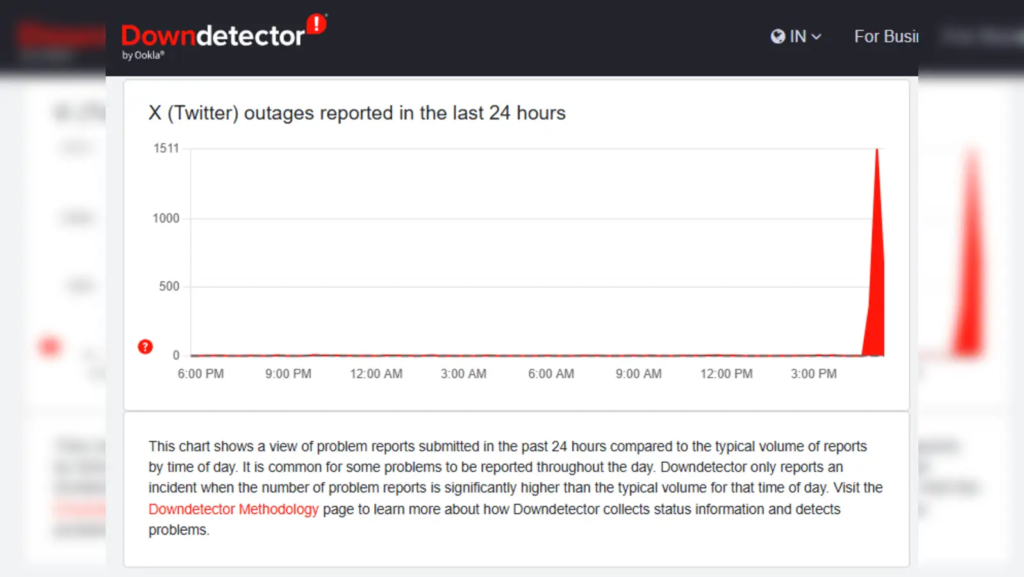
- A few minutes later — Thousands of users began reporting:
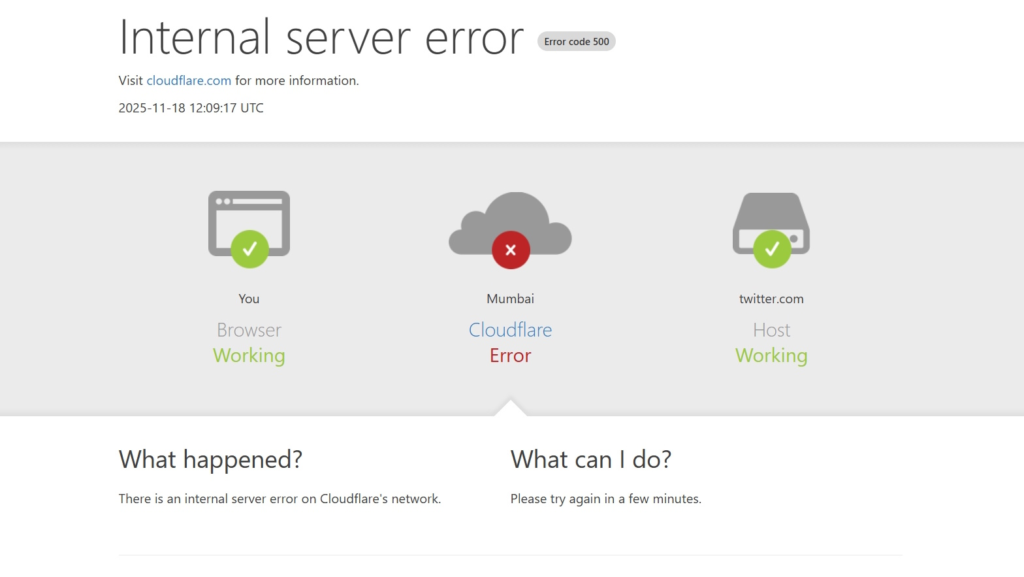
- “500 Internal Server Error”
- “Please unblock challenges.cloudflare.com”
- Websites refusing to load or timing out.
- Major platforms affected — Sites using Cloudflare’s CDN, DNS, or WAF started failing intermittently.
- 19:00–19:15 IST — Cloudflare acknowledged the outage.
- Around 20:00 IST — A fix was rolled out and systems gradually stabilised.
🌍 The Global Impact
The outage didn’t just affect a few websites — it was a global internet disruption. Services relying on Cloudflare include:
- Web apps
- Login systems
- Payment portals
- APIs
- Government portals
- Popular consumer apps
- E-commerce websites
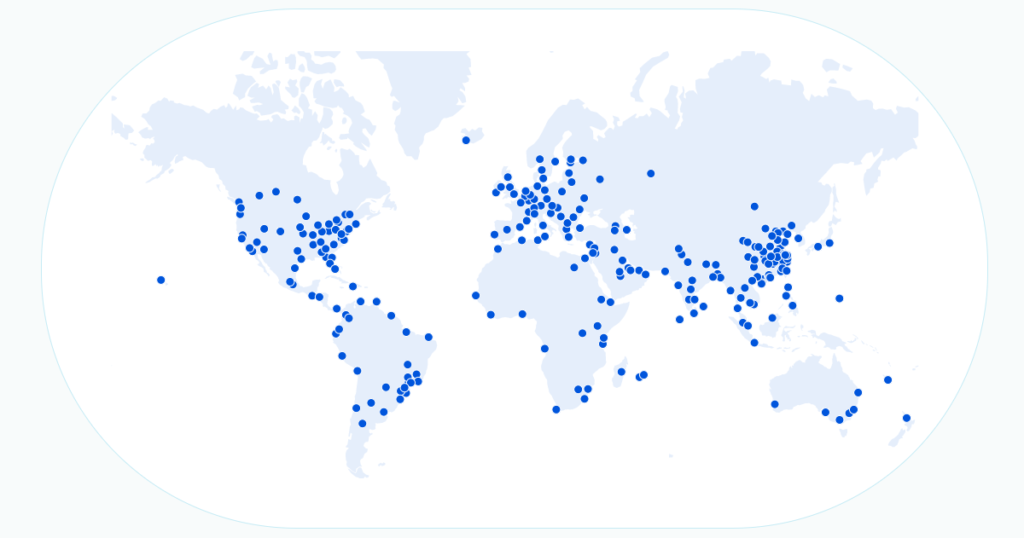
Because Cloudflare handles 20–25% of global internet traffic, even a small error became a worldwide ripple.
🛑 The Root Cause (Explained Simply)
Cloudflare later confirmed the issue was not an attack, but an internal error.
🔍 What Went Wrong?
A configuration file that Cloudflare auto-generates became larger than expected.
This file is used to manage global traffic and security rules.
When it grew beyond system limits, it triggered a software crash inside Cloudflare’s traffic management layer.
This caused:
- Requests dropping
- Traffic routing issues
- Incorrect edge responses
- Security challenges failing
- API errors
Even a perfectly healthy website appeared “down” if Cloudflare couldn’t route requests properly.
🧠 Why This Is Important
This outage highlights a tough truth:
Even world-class infrastructure can fail because of tiny configuration or scaling issues.
For DevOps and cloud engineers, this is a reminder that your uptime is only as strong as your dependencies.
🚨 How This Affected Businesses & Developers
👨💻 For Users
- Sites appeared broken.
- Login challenges blocked access.
- Apps didn’t load.
- Payments and checkouts failed.
🏢 For Companies
- Websites became temporarily unavailable.
- Customers assumed the company was at fault.
- Error rates, latency, and service degradation skyrocketed.
- Support teams were flooded with complaints.
- Monitoring systems falsely flagged “backend issues.”
🛠️ For DevOps / SRE Teams
- Alerts fired across clusters.
- Edge traffic errors spiked.
- Difficult to differentiate: “Is it us or Cloudflare?”
- Some teams re-routed traffic manually.
- Incident response teams went into action.
🧩 What You Should Do: Solutions & Preventive Measures
If your website or service depends on Cloudflare (like most modern businesses), here’s how to stay resilient:
✔️ 1. Monitor Both Your System & Your Edge Provider
Don’t rely only on backend health checks.
Monitor:
- Edge response codes
- WAF challenge failures
- CDN cache miss rates
- DNS resolution times
- Regional latency spikes
✔️ 2. Implement Multi-CDN Architecture
Do not rely on a single provider.
Use Cloudflare + Akamai, or Cloudflare + Fastly, so traffic automatically shifts if one fails.
✔️ 3. Reduce DNS TTL (Time to Live)
Use TTLs like 30s to 120s so if Cloudflare goes down, you can switch DNS quickly.
✔️ 4. Create a “Direct Origin Access” Bypass
During emergencies, you should be able to temporarily:
- Disable WAF, or
- Route users directly to your server load balancer or ingress.
✔️ 5. Maintain an Internal Runbook
Every team should have a clear document for edge failures:
- Who gets alerted?
- What fallback to activate?
- How to update DNS?
- How to reroute traffic via secondary CDN?
- What to communicate to users?
✔️ 6. Conduct Fallback Drills
Just like fire drills — practice failovers every few months.
✔️ 7. For Kubernetes Users
Since you work heavily on Kubernetes, take note:
- Keep alternate Ingress Controller paths (NGINX/HAProxy).
- Keep an internal DNS service (CoreDNS) ready for emergency routing.
- Ensure Prometheus monitors upstream (not just pods).
- Use ArgoCD / GitOps to quickly flip between Cloudflare settings.
⭐ Key Takeaways
- The outage was caused by a Cloudflare internal config crash, not a cyberattack.
- Millions of websites saw failures because Cloudflare handles a huge chunk of global internet traffic.
- Businesses must treat CDN/edge providers as critical dependencies, not “always-available black boxes.”
- Multi-CDN, smart monitoring, runbooks, and fallback mechanisms are essential for modern DevOps.
🎯 Conclusion
The Cloudflare outage of 18 November 2025 is another reminder that even the best infrastructure can fail unexpectedly. What matters is how prepared you are when it does.
If you run production systems, Kubernetes clusters, or customer-facing apps — build resilience, not assumptions.
Because in the world of DevOps, uptime is strategy, not luck.