
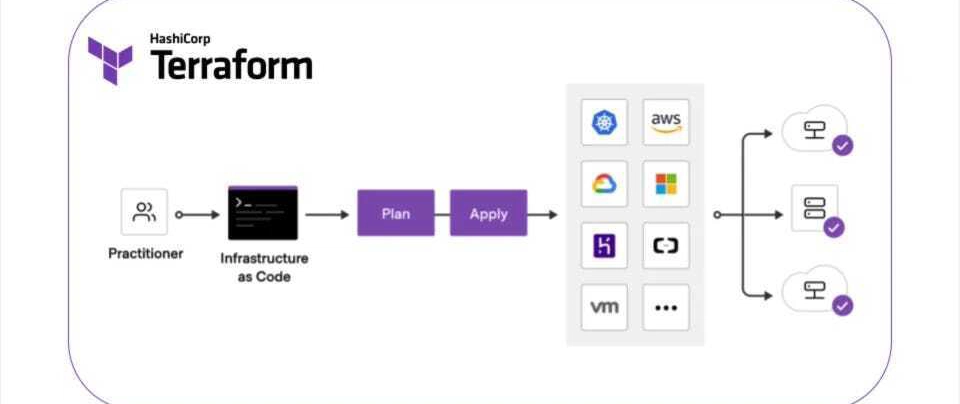
Terraform is a powerful Infrastructure as Code (IaC) tool, but managing its state effectively is crucial for seamless operations. In this blog, we’ll dive into Terraform state management, exploring best practices, challenges, and solutions. 🏷️
🌟 What is Terraform State?
Terraform uses a state file to keep track of your infrastructure’s current configuration. This file is essential because it allows Terraform to:
- ✅ Map real-world resources to your configuration 📌
- ✅ Detect changes and apply updates 🔄
- ✅ Store metadata and improve performance ⚡
Without proper state management, infrastructure drift and unexpected errors can occur. 😨
🐂 Where is Terraform State Stored?
Terraform state can be stored in different backends, each with its pros and cons:
1. Local Backend 🖥️
- Default storage method (local file
terraform.tfstate) - Suitable for small projects but risky for collaboration ⚠️
2. Remote Backends ☁️
- AWS S3 + DynamoDB 🔹 (Highly available, secure, and scalable)
- Azure Blob Storage ☁️ (Integrated with Azure ecosystem)
- Google Cloud Storage (GCS) 🌍 (Reliable for multi-region deployments)
- Terraform Cloud & Enterprise 🏢 (Built-in locking, RBAC, and audit logs)
Best Practice: Always use a remote backend for team-based projects to avoid state corruption. ✅
🔒 Securing Your Terraform State
Terraform state often contains sensitive data (e.g., passwords, API keys). Protect it using:
- 🔸 State Encryption (Enable encryption in cloud storage backends)
- 🔸 Restricted Access (Limit who can read/write state)
- 🔸 Versioning & Backup (Enable state versioning to recover from mistakes)
Pro Tip: Use
terraform state pullto inspect your current state securely. 🔍
🛠️ Common Terraform State Operations
Here are some key state management commands:
View Current State:
tf state listMove Resources:
tf state mv old.resource new.resourceRemove Orphaned Resources:
tf state rm resource.nameImport Existing Infrastructure:
tf import resource.name resource_id🚧 Handling Terraform State Locking
To prevent multiple users from modifying the state simultaneously, use state locking:
- 🔒 AWS S3 + DynamoDB ➔ Ensures state is locked during updates
- 🔒 Terraform Cloud ➔ Automatic state locking 🔐
- 🔒 HashiCorp Consul ➔ Alternative for distributed state locking
Avoid State Conflicts! Always run
terraform planbeforeterraform apply. ✅
🏆 Best Practices for Terraform State Management
- 🔥 Use Remote Backends ➔ Prevent state loss and enable team collaboration
- 🔥 Enable State Locking ➔ Avoid concurrent modifications
- 🔥 Encrypt Sensitive Data ➔ Protect secrets stored in state
- 🔥 Version Control State Files ➔ Rollback when needed
- 🔥 Automate Backups ➔ Keep recovery options open
📌 Advanced Terraform Features
To scale Terraform efficiently, explore:
- 🔹 Workspaces ➔ Manage multiple environments (dev, staging, prod) seamlessly 🌍
- 🔹 Modules ➔ Reuse infrastructure components for better modularization 🛋️
- 🔹 State Management Commands ➔ Use
terraform statefor granular control 🛠️ - 🔹 State Migration ➔ Transition state to a new backend without downtime 🚀
🎯 Conclusion
Terraform state management is the backbone of reliable Infrastructure as Code. By implementing best practices, securing sensitive data, and using remote storage, you ensure a robust and scalable Terraform workflow. 🚀